DeepSeek Harness Desktop Preview Goes Live — Mac and Windows Downloads Available Now
By the yunpoly Editorial Team
DeepSeek's unwritten rule of "always ship an update during a holiday" holds once again. Over this long holiday weekend, the community finally got its hands on the desktop entry point to Harness.
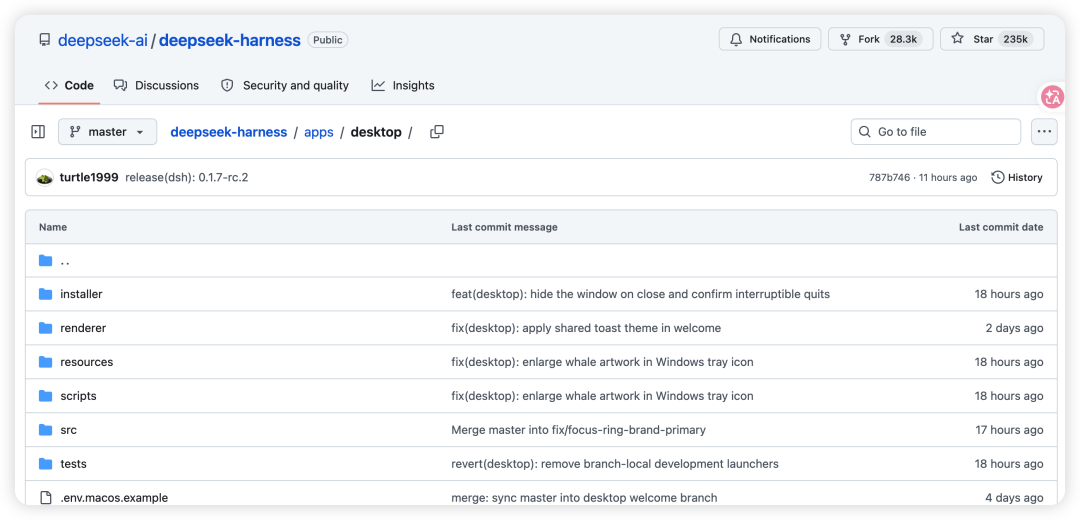
Last night, developers spotted the desktop source code in the official DeepSeek Harness GitHub repository, and the official code explicitly points to an update source at download.deepseek.com. In fact, a complete apps/desktop directory has existed in the official deepseek-ai/deepseek-harness repo since late August.
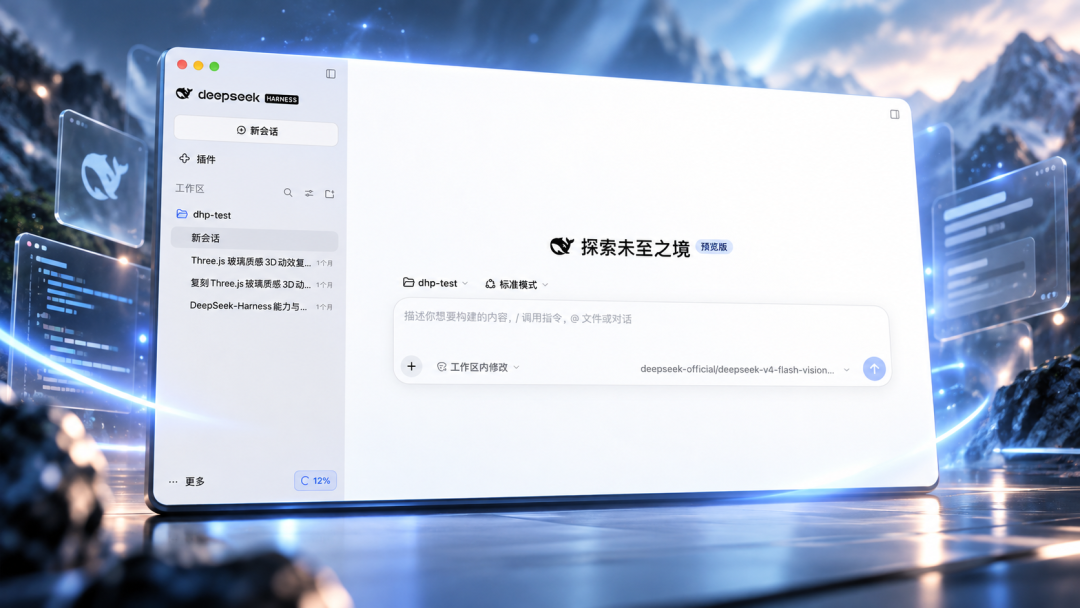
According to the official technical docs, the desktop client is built with Electron. The goal was never to rebuild Harness from scratch — it deliberately reuses the existing Web UI along with the underlying runtime logic for Agents, sessions, tools, and plugins.
As of this writing, the official website and GitHub Releases still haven't published a formal desktop download entry. Even so, both the Mac and Windows builds are already circulating in the community, with download links that match the official distribution source. There is no Linux version yet.
Here are the community-circulated links:
- DeepSeek Harness for Windows (x64)
https://download.deepseek.com/dsh-desk/bin/win-x64/deepseek-harness-0.1.7-rc.1.20260924.1-win-x64.exe - DeepSeek Harness for Mac (arm64)
https://download.deepseek.com/dsh-desk/bin/mac-arm64/deepseek-harness-0.1.7-rc.1.20260924.1-mac-arm64.dmg
The Mac build has passed Apple notarization, and the signing subject is directly shown as Hangzhou DeepSeek Artificial Intelligence Co., Ltd, with Bundle ID com.deepseek.dsh.
The downloaded version is V0.1.7-rc.1. After installing, we found a built-in version update feature; the latest version currently shows as V0.1.7-rc.2.
The desktop client differs from the "register and use" experience of the web version in two notable ways:
- Not a purely free tool: on first launch, if you have no quota, you need to top up or bind an account with a valid balance, and complete real-name verification;
- API access supported: you can instead bring your own official API key.
Visually, the DeepSeek Harness UI follows a minimalist, frameless, soft-neumorphism style (preview version).
In terms of working modes, Harness mainly divides tasks into two categories: office & creative and coding & development. When it comes to showing the working process, it offers three preferences: focus on results, key details, and full process.
Under Agent mode, four workflow presets are available — Standard, PTC, Minimalist, and Creative — so you can switch based on task complexity:
- Standard mode fits most general-purpose tasks;
- PTC (Programmatic Tool Calling) emphasizes batching tool calls, then filtering, organizing, and summarizing the results. In this mode the model no longer executes commands one by one through multiple network round-trips. Instead, it writes a whole program that orchestrates and dispatches many tools in batch, then filters and summarizes the output — lowering latency and improving the stability of complex pipelines;
- Minimalist mode uses terminal tools only, suited for lightweight comparisons and benchmark test design;
- Creative mode is built for customization: developers can use natural language to debug Cordis plugins directly in memory, dynamically extend the interface, and construct entirely new Agent modes of their own.
The plugin management panel clearly reflects the underlying engineering philosophy of "everything is a plugin." Besides the standard web-search provider configuration, the preview build also covers advanced capabilities like Agent Team and Subagent, localization and execution control, and code-repository invocation.
In hands-on use, Harness's answer area follows a task-based design. After you submit a question, the interface first shows states like "processing complete" and "execution complete," and directly displays the context token count, the number of tool calls, and the elapsed time — so you can see whether the Agent actually invoked tools in the background.
The replies themselves also emphasize structured presentation. Take querying DeepSeek API pricing as an example: it leads with a conclusion, compares different models in a table, then generates price cards and rule explanations — and even embeds a draggable monthly cost estimator right inside the answer. Long answers therefore read more like a dynamic information page than a continuous block of Markdown.
- Babies Age Too — and Monthly Cash Payments Seemed to Slow It Down
- Why Gout Is Surging in Young Men — and Its Link to Erectile Dysfunction
- Why a Batch of Black Sesame Paste Tested 27× the Mold Limit
- Why Are Beijing's Trees Suddenly Full of Fuzzy Caterpillars?
- DeepSeek Harness Desktop Preview Goes Live — Mac and Windows Downloads Available Now
- DeepSeek Harness Just Got a Desktop App — Before Any Official Announcement
- 双十一流量来了,智通SDK也更新了!
- After I Died, He Married My Face
- Palmbox Version 1.4.4 Released for a Better Browsing Experience
- Palmbox 1.4.4版本正式發布,帶來更流暢的追劇體驗

全部评论