AG-UI, A2UI and MCP Apps: Which Agent UI Standard?
A customer opens a support chat and types one sentence: "Refund my order from yesterday."
No menus. No buttons. The Agent understands, and the work begins. In moments like this, natural language feels like the only user interface an Agent will ever need.
But watch what happens next.
The customer wants to scan fifteen orders at once. They want to adjust a quantity, compare two receipts, and give a final confirmation before money moves. Suddenly typing sentences feels slow — and the Agent UI needs buttons, lists, and cards after all.
The simplest way to talk to an Agent is not always the most efficient way to work with one. In production AI systems, the engine and the harness matter, but a well-designed frontend remains indispensable, especially for user-facing AI-native apps.
Three standards have emerged around this problem: AG-UI, A2UI, and MCP Apps. They sound similar. They are not competing copies. Each one solves a different layer of the Agent UI puzzle.
One Sentence Isn't a User Interface: What Agent UI Changes
Natural language cannot replace traditional UI.
Expressing a task in words is powerful. "Refund my order from yesterday" beats hunting through menus. But reading a dozen orders is faster in a list, changing a quantity is faster with an input or a slider, and confirming an action is faster with a button than typing "I'm sure."
So an Agent UI is usually a hybrid: natural language for intent, graphical interface for precision.
When an Agent and a human exchange complex information repeatedly, the visual expressiveness of HTML beats a wall of plain text or Markdown. Think of a customer-service workbench with a streaming reply and live status panels.

Agents need a UI that moves with the task.
A traditional app is designed in advance: search, order list, order detail, confirmation, success. The user follows a fixed route.
An Agent's route is not fixed. Which tool runs first, what information is missing, when a human must step in — none of this is guaranteed before the task starts. The interface therefore has to appear as the task demands: an address picker when an address is missing, an amount check when payment is involved.
The complexity runs deeper still.
An Agent task can run for minutes. The frontend must show more than replies — it must show progress: which tool is being called, how much is done, what artifact is being produced.
And when an Agent reaches an external system through MCP, a new question appears. If that integration needs continuous interaction — finding nearby restaurants and ordering from one, for example — where does the interface come from? Building every one of them by hand in the client creates heavy coupling.
AG-UI, A2UI, and MCP Apps each answer a piece of that question.
AG-UI: A Shared Vocabulary for Agent-Frontend Events
AG-UI, the Agent-User Interaction Protocol, was started by CopilotKit team, released publicly in May 2025, and reached a stable 1.0 specification by September 2026.
In one sentence, it is an open event standard for real-time, two-way, structured communication between an AI Agent and a user interface.
A frontend and an Agent constantly exchange signals: requests, replies, progress, confirmations. AG-UI standardizes the events, formats, and protocol behind those signals.
One boundary matters: AG-UI does not define the UI itself. It tells the frontend what happened — not how the card should look. Presentation stays entirely in the frontend's hands.
The flow works like this. The frontend submits a task, usually over HTTP POST. An AG-UI adaptation layer converts the Agent's output into standard events streamed back, typically over SSE: run started, run finished, step started, step finished, text message, text delta, state snapshot, tool call started, and more. User confirmations flow back to the Agent the same way.
The official 1.0 SDK supports TypeScript, Python, and .NET, with adapters for frameworks such as LangChain. On the frontend, teams can use CopilotKit or the standalone @ag-ui/client without replacing their UI framework.
Return to the refund example. At the confirmation step, the Agent should present a clear graphical refund card and capture the customer's decision.
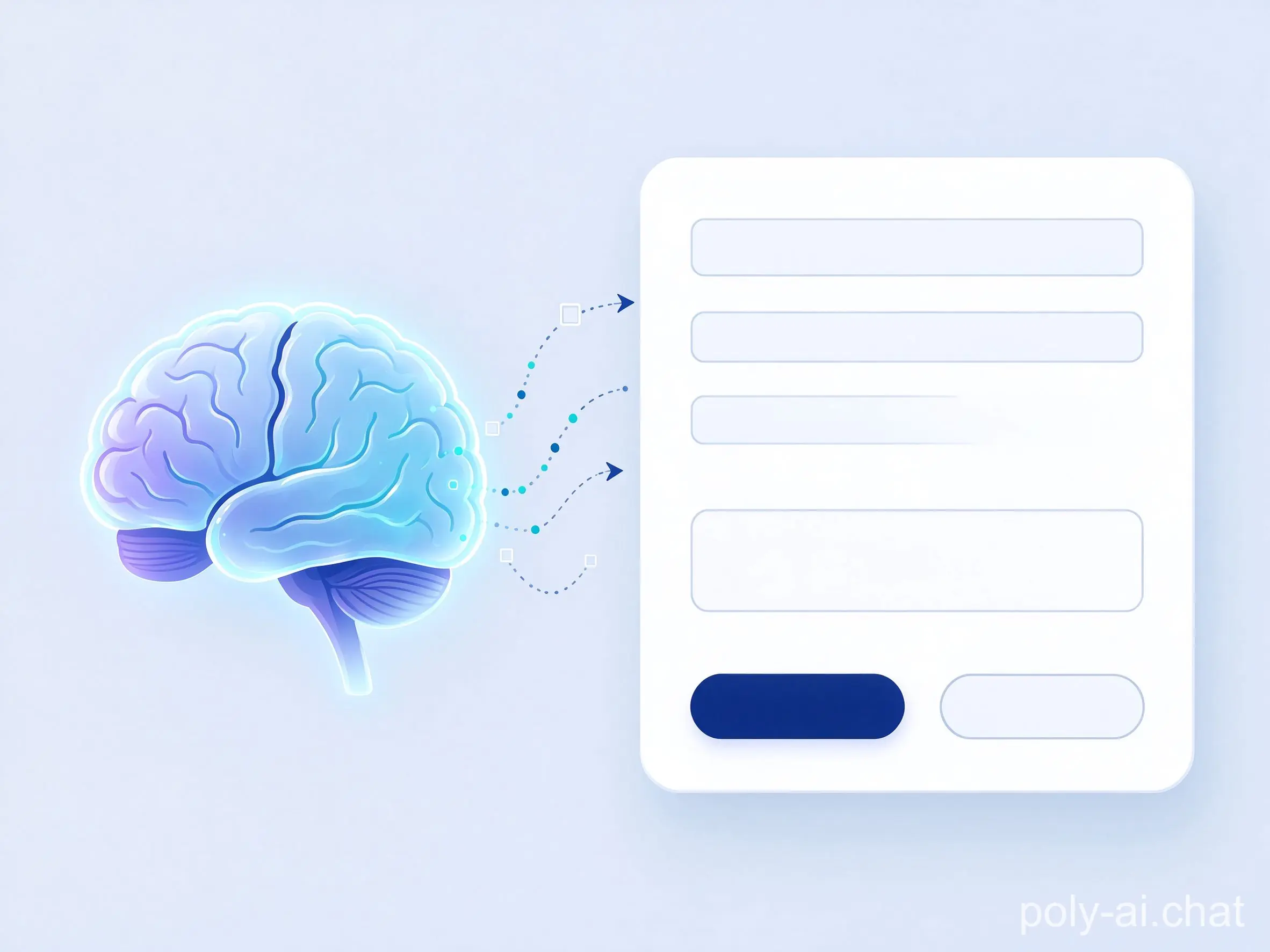
The card is still built by the client. Only the communication follows AG-UI. Print the events the Agent sends and the point becomes clear: there are no UI elements in them, only facts about what is happening and the data those moments carry.
A2UI: The Agent Describes the Interface, the Frontend Renders It
A2UI, the Agent-to-User Interface protocol, is a declarative UI standard initiated by Google and published in December 2025, with CopilotKit and the broader community contributing.
Its purpose is to let a backend AI safely and dynamically drive the generation and updating of frontend interfaces across platforms.
This is the answer to the dynamic-UI problem. When a task needs an interface that does not exist in any fixed flow, A2UI carries a description of which controls are needed, how they are organized, and what data they bind to. The frontend then draws them with components it trusts.
The Agent decides what the UI should express. The frontend keeps control over rendering, styling, and capabilities.
The backend sends JSON describing surfaces, components, and data. A frontend renderer validates that description against a component catalog, maps each component to a local control, and renders it. When the user clicks, an action travels back through the frontend to the backend, which returns updated UI messages.
The catalog is a security mechanism. Every renderable component — Button, Card, Text, and the rest — must be registered in advance. The Agent can only request whitelisted components; it cannot inject arbitrary scripts or out-of-scope elements.
The same description can be reused across platforms, provided both sides support matching component versions, though pixel-perfect parity is not guaranteed. Because A2UI is only a description format, it can travel over plain HTTP or be carried inside AG-UI or A2A.
In the refund example, the Agent returns a UI description built from Column, Text, Image, and Button components. A simplified trace looks like this:
{ "version": "v0.9", "createSurface": { "surfaceId": "refund", "catalogId": "https://refund-demo.local/catalog/v1" } }
{ "version": "v0.9", "updateComponents": { "surfaceId": "refund", "components": [ { "id": "root", "component": "Column", "appearance": "refund-card", "children": ["eyebrow", "heading", "actions"] }, { "id": "eyebrow", "component": "Text", "text": "REFUND REVIEW" }, { "id": "confirm", "component": "Button", "variant": "primary", "action": { "event": { "name": "confirm_refund", "context": { "taskId": "0eebb393-201d-4e59-9dde-b739341e996d" } } } } ] } }
The contrast with AG-UI is sharp. One standard carries events that let the frontend update itself; the other carries a direct description of the interface.
MCP Apps: When the Tool Brings Its Own Interface
MCP Apps is the official UI extension for MCP, driven together by teams including Anthropic and OpenAI, drawing on the MCP-UI and OpenAI Apps SDK work. The proposal appeared in November 2025 and the release followed in January 2026.
Picture an MCP connection to a company CRM. The classic approach builds data-query tools, and the frontend renders the results itself. The limits are familiar: plain Markdown and tables are weak for filtering, drill-downs, dynamic panels, and non-text data, forcing many round-trip conversations.
MCP Apps changes the contract: an MCP Server can return not just text, code, or JSON, but a fully designed HTML frontend alongside the tool.
A tool that supports MCP Apps carries an additional ui:// resource reference in its metadata. When the host application discovers it, the host loads the UI resource and isolates it inside an App view running in an iframe, then hands the tool result to that App for display.
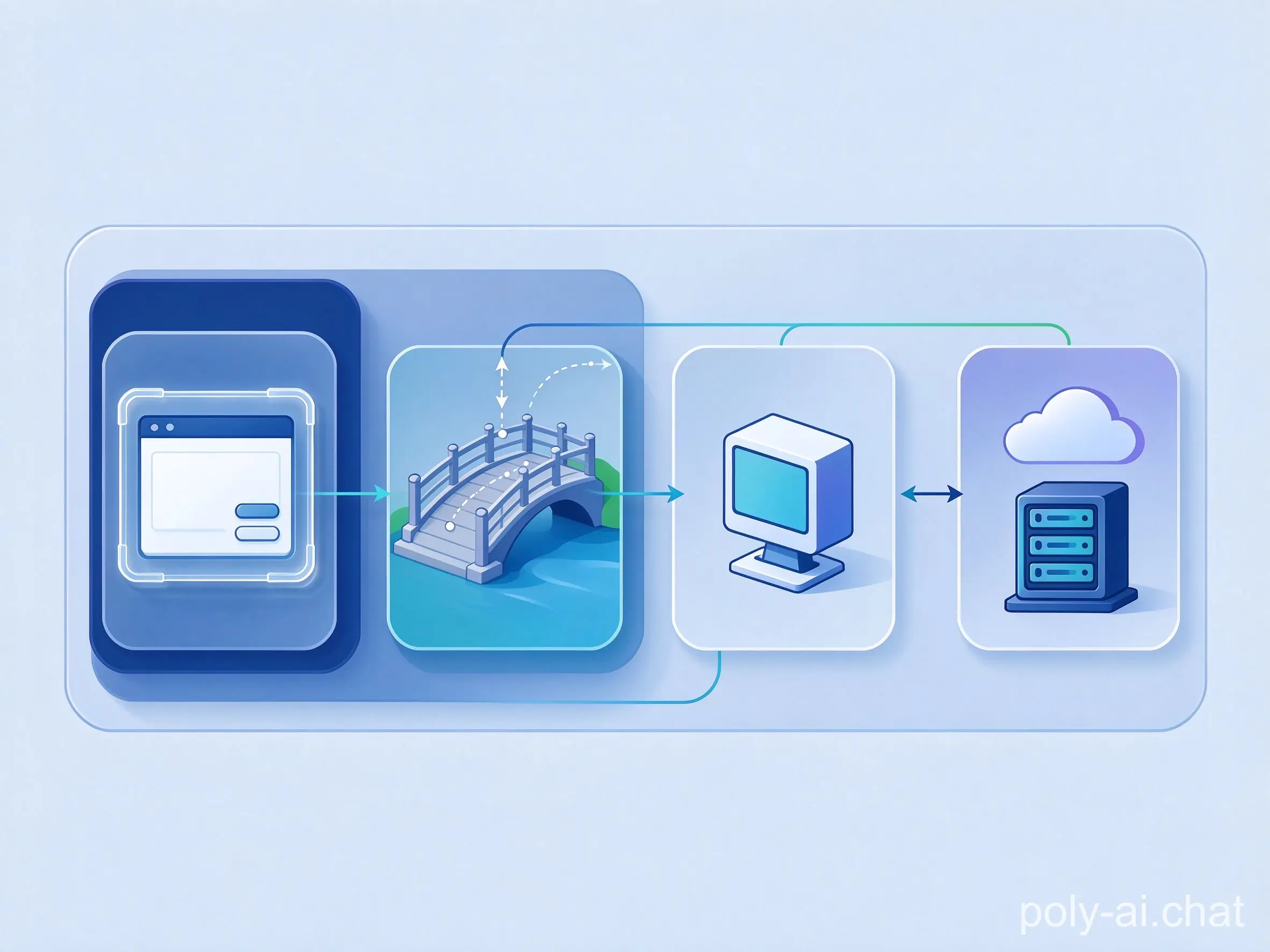
When the App needs the backend, it cannot speak to the MCP Server directly. It messages an AppBridge using the browser's native postMessage API, and the MCP Client calls the server tool over the standard MCP protocol. The proxy is a security requirement, not an inconvenience.
Developers use the official @modelcontextprotocol/ext-apps SDKs, registering tools and UI resources with registerAppTool and registerAppResource. The page lives in the iframe sandbox and exists mainly to deliver dynamic interaction. Pressing "confirm refund" inside the App calls a server tool and renders the result: const result = await app.callServerTool({ name: "decide_refund", arguments: { taskId, decision: "confirm" } }); render(result);
Even faster, AI coding tools can build it. Official skills scaffold a new MCP App from scratch, add an interactive UI to an existing MCP Server, or convert a normal web app into an MCP App for quick Agent integration.
How to Choose (and Why You Can Combine All Three)
All three standards touch the interface, but each owns a different stage. Selection starts with the missing piece in your own project.
Choose AG-UI when the frontend already exists. The interface is designed in-house, and the app needs the Agent's replies, progress, and status as standardized events.
Choose A2UI when forms and cards must be assembled dynamically by task. The requirement is a client that already ships a matching component catalog and renderer.
Choose MCP Apps when an external tool needs a reusable interface, such as a map or an editor, that travels with the tool itself. The host must support the extension.
Each standard can be adopted alone. They can also be layered — an AG-UI stream carrying A2UI descriptions, with an MCP App embedded for a tool that demands a rich interface.
The question was never which one replaces the others. It is which layer of the Agent UI your application is missing today.
Have you built with any of these standards? Share where the interface broke down — or where it finally clicked.
References
AG-UI (Agent-User Interaction Protocol), official documentation and 1.0 specification: https://docs.ag-ui.com
A2UI (Agent-to-User Interface), declarative UI protocol specification and component catalog documentation, Google.
Model Context Protocol (MCP), official specification and documentation: https://modelcontextprotocol.io
All illustrations are AI-generated.
- 家里翻出一整箱的套!200W粉博主的COSER女友被扒出和多位男子的床照!两月花30万都留不住!薄肌孙哥才是版本答案!
- AG-UI, A2UI and MCP Apps: Which Agent UI Standard?
- 弱者沉迷甜饮,强者自带大水!💧
- 722 Math Manuscripts and the Ten Details Behind Them
- 2026諾貝爾化學獎為何頒給不對稱合成與自催化?
- Asymmetric Synthesis & Autocatalysis: 2026 Nobel Chemistry
- 肺鼠疫是什麼?實驗室事故為何觸發 14 天隔離?
- Pneumonic Plague: Lab Exposure and the 14-Day Quarantine
- 芋泥不是芋頭泥:熱量、糖分與血糖的真相
- Is Taro Paste Healthy? The Sugar & Calorie Truth
全部评论